Mac & Windows Desktop App
Get the Desktop App
Stealth mode, auto audio capture & real-time AI
- Free to install
- Updates automatically
- Mac & Windows
 Zoom · Final round


Why the desktop app?
- Real-Time AI
- Instant suggestions as you speak
- Any Meeting App
- Works with Zoom, Teams, Meet & more
- Stealth Mode
- Hidden from screen sharing
- Auto Updates
- Always up to date
Stealth Mode
Hidden from screen sharing
Your interviewer won't see it. Completely invisible during screen share.
See how stealth mode works →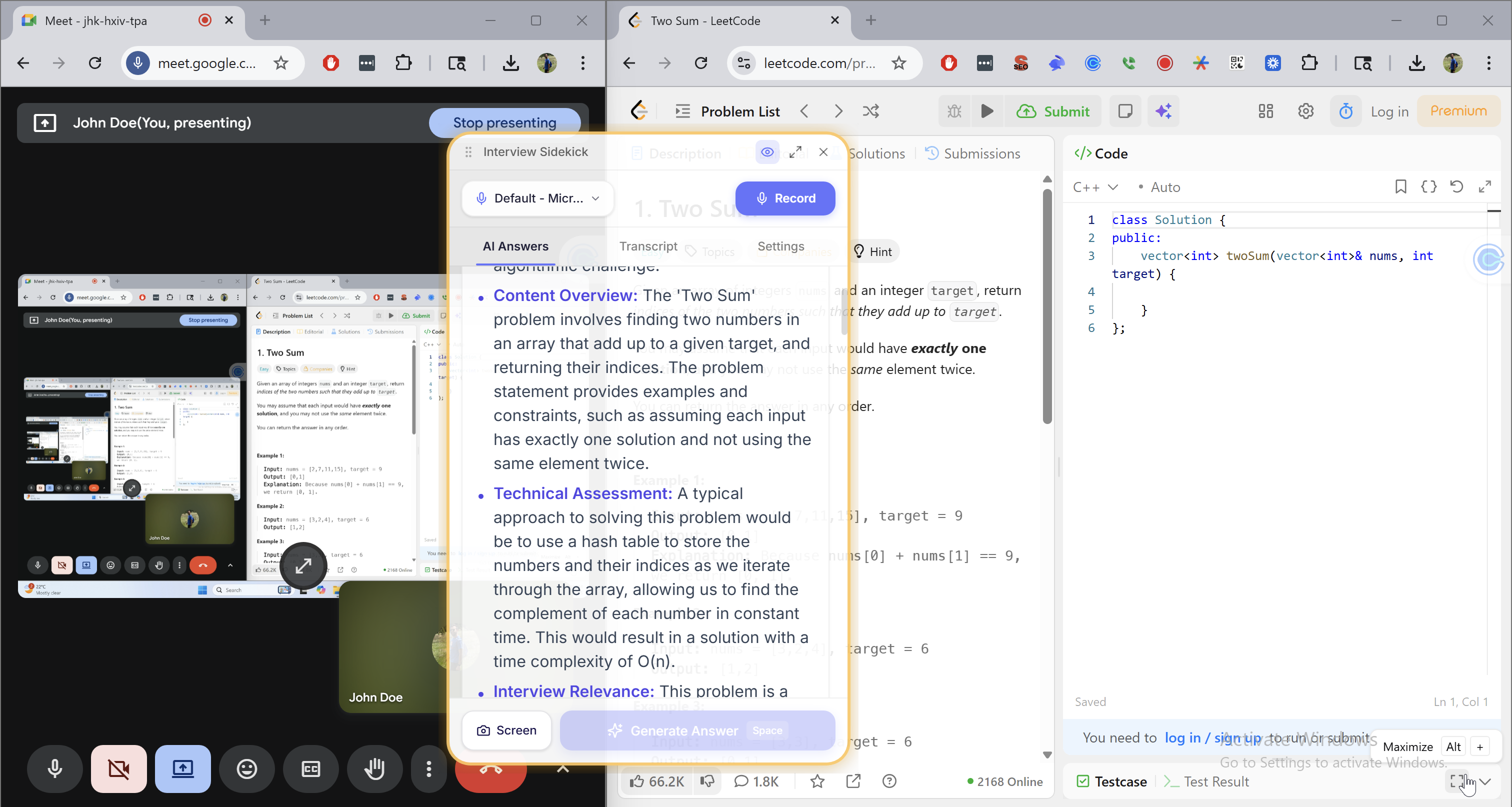
Up and running in minutes
- 1
Open the download
Drag Interview Sidekick into your Applications folder.
- 2
Allow audio access
Approve Screen & System Audio Recording when macOS asks, so it can hear your interviewer.
- 3
Sign in and hit Record
Join your call. Answers appear the moment a question is asked.