Sensei AI Review 2026: Pricing, Features, and Honest Verdict
 Rishabh Jain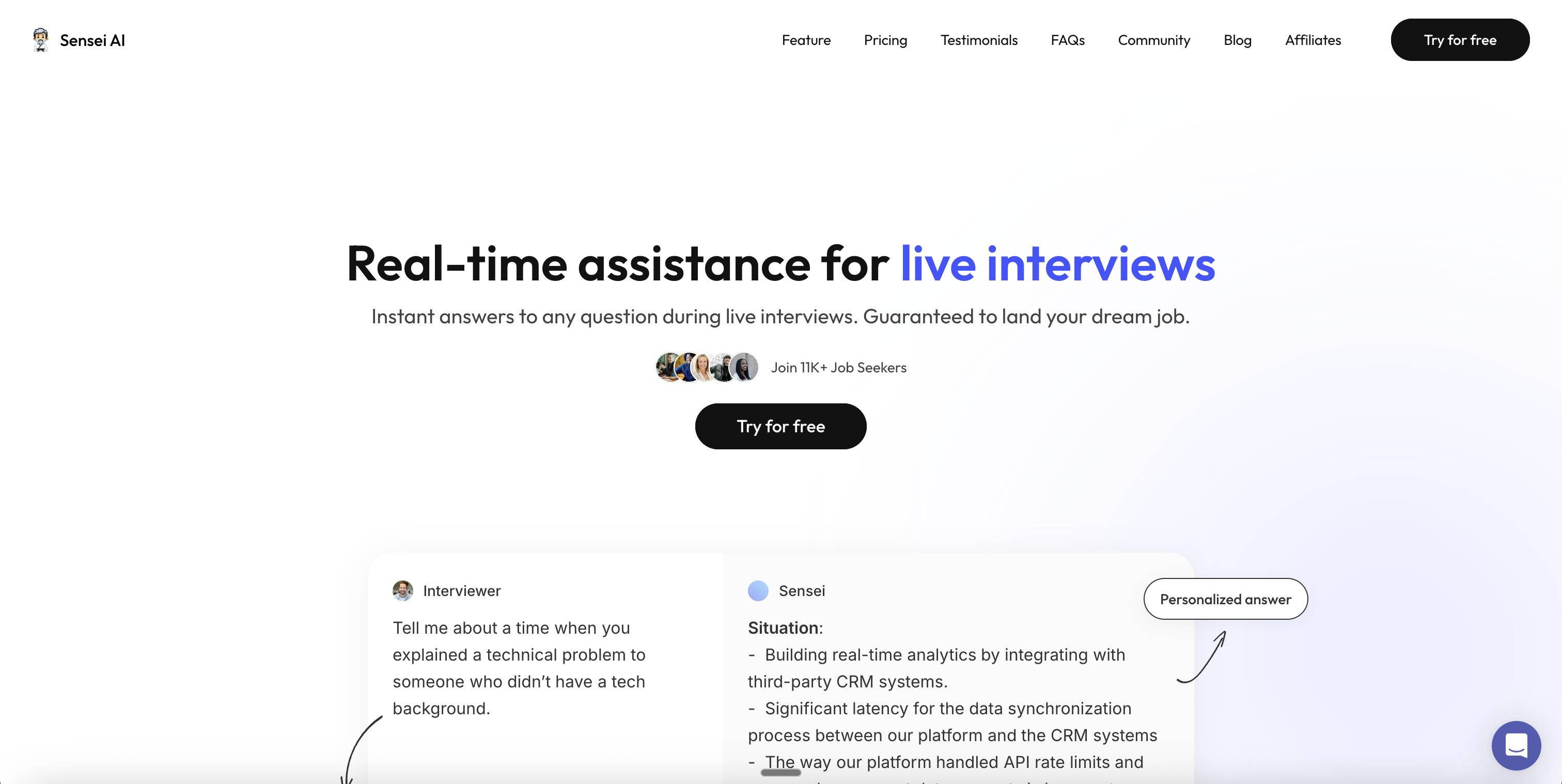
Sensei AI's pitch is genuinely differentiated: 100% hands-free auto-trigger and sub-1-second latency. Where it falls apart is the price ladder and the screen-share story. Monthly is $89 (uncompetitive on its own merits) and the only path to a usable price is committing to a full year at $288. The browser-extension/tab approach is exposed the moment an interviewer asks for full-screen sharing, multiple Trustpilot and forum reviews report crashes mid-interview, and the "15-minute free session" cap won't carry you through a real 30-60 minute interview. Strong UX, real differentiation, but you're locked into the annual or you're overpaying.
What is Sensei AI?
Sensei AI (sometimes branded Sensei Copilot) is a real-time AI interview assistant built around two distinctive features: 100% hands-free operation — no hotkey or button required during the interview — and sub-1-second response latency. The product targets job seekers who want maximum cognitive offload: answers are auto-detected from the audio stream and surfaced on screen without any input from you.
The company markets aggressive metrics — 96% claimed success rate, 7,000+ interviews aced, 1,500+ offers, 11,000+ users — though, as with every vendor in this category, those numbers are self-reported and weighted toward engaged users. The product runs on macOS and Windows, supports Zoom, Microsoft Teams, and Google Meet, and bundles a Coding Copilot for technical rounds on the Pro tier.
Auto-trigger means you don't control when an answer appears — Sensei surfaces text the moment it detects a question. That's great when you genuinely don't know the answer; it's a problem in conversational rounds where you want to think first, in casual chit-chat that gets misclassified as a question, or when an answer pops up while you're still mid-sentence. Several reviewers describe the auto-overlay as "distracting," and at least one Legiit forum user reports the app crashed mid-interview with no recovery path. Hotkey-based tools (Cluely, Beyz, Interview Sidekick) hand that timing back to you.
Sensei AI Pricing in 2026
Sensei publishes only two tiers, and the gap between the free and paid plan is enormous. Free is capped at 15-minute sessions (most interviews run 30-60 minutes), so the free tier won't actually carry you through a real interview. The only paid tier is the Pro plan — and the monthly price is where it stings:
- Unlimited Copilot sessions (free is capped at 15 min)
- AI Resume Builder + AI Story Editor
- Coding Copilot for technical interviews
- Industry Knowledge Base add-ons + AI Playground
- Monthly is uncompetitive — Cluely Pro is $19.99/mo, Beyz Titan $24.99/mo for similar real-time use
- Annual locks you in for $288 upfront — refund policy reportedly strict
Sensei's pricing is structured to make the annual commitment feel mandatory. The free tier is a teaser, the monthly is over-priced versus alternatives, and the annual ($24/mo equivalent) is competitive only if you're sure you'll use the tool over a full job search. If you change your mind on day two, refund reports across Trustpilot and Reddit suggest you're unlikely to get your money back.
Real-World Performance Issues
The most concrete public complaint comes from a Legiit forum thread by a user named Ryan, who paid for Sensei Copilot and reports: "It crashed during the interview, had a lot of bugs, and did not work properly... the worst experience I've had with an AI tool to date." Mid-interview crashes are the worst possible failure mode for a real-time copilot — there is no recovery and no second take.
The bigger structural issue: Sensei's tab-and-extension approach is fully exposed when an interviewer asks for full-screen sharing. Multiple independent reviews note that the answer tab and the extension are visible the moment screen-share switches from a single tab to the full desktop. Many companies — especially in tech — explicitly request full-screen, which means the "stealth" promise only holds in narrow conditions you don't control.
Refund and billing reports across Trustpilot, Reddit, and tenereteam describe a pattern: a free trial that auto-converts to paid with a countdown at the end, an automatic charge to the card on file, and customer-support replies that lean on the "no refund unless special circumstances" clause. One affiliate also publicly reported unpaid commissions over a month past the payout date.
On accuracy: comparison reviews note that Sensei's answers can "lack nuance or personality" and that reading them verbatim can sound robotic — the same regression-to-the-AI-mean problem every copilot has. The auto-trigger amplifies it because you have less time to edit the answer in your head before speaking.
Sensei AI Features
- 100% hands-free auto-trigger — questions detected from audio, answers surfaced without any keypress (the headline differentiator)
- Sub-1-second response latency claimed (real-world reports vary, but generally faster than Cluely)
- Coding Copilot for technical rounds — included on Pro tier, also available as a standalone Chrome extension
- AI Resume Builder + AI Story Editor — usable on the free tier for prep work outside interviews
- Industry Knowledge Base add-ons for role-specific responses (Pro)
- Tone, word-choice, keyword, and formality optimization on outputs
- AI Playground for testing prompts and answers ahead of interviews (Pro)
- Cross-platform — Zoom, Microsoft Teams, Google Meet (narrower than Cluely's Webex/Slack coverage)
- Stealth mode — works only in tab-share scenarios; not reliable under full-screen sharing
- 15-minute free session cap — long enough to demo, too short for a real interview
How to Use Sensei AI
Step 1: Visit senseicopilot.com and sign up. The free tier requires no credit card; the "Pro free trial" flow does ask for a card and auto-converts.
Step 2: Download the desktop app for macOS or Windows (or use the browser extension). Grant audio + screen permissions for hands-free detection.
Step 3: Upload your resume and personal stories. Sensei pulls from these to tailor answers to your background — this is non-optional if you want non-generic responses.
Step 4: Configure your target role and any industry knowledge add-ons. Test in the AI Playground before you trust it on a real call.
Step 5: Launch Sensei before the interview. It runs in the background. Auto-trigger handles question detection — you do nothing during the call. Critical: only share a single tab, not your full screen.
At a Glance
- Best hands-free experience in the category — genuine differentiator
- Sub-1-second claimed latency (faster than Cluely's real-world 5-10s)
- $24/mo annual is competitive with Beyz Titan and Linkjob Yearly
- Coding Copilot bundled on Pro
- Polished onboarding and overlay UX
- Free tier usable for testing the experience
- AI Resume Builder + Story Editor included on free tier
- $89/mo monthly is uncompetitive (Cluely Pro $19.99, Beyz $24.99)
- Free tier capped at 15-min sessions — won't cover a real interview
- Tab/extension exposed under full-screen sharing
- Mid-interview crash report from a paying user (Legiit forum)
- Auto-trigger removes your control over when answers appear
- Refund policy reportedly strict; auto-converting trial
- Smaller user base (11K) than category leaders (Beyz 230K+)
- Platform support narrower than Cluely (no Webex/Slack)
- Self-reported 96% success rate — vendor-claim caveats apply
- Answers can sound robotic if read verbatim
Sensei AI vs Top Alternatives
| Feature | ||||
|---|---|---|---|---|
| Monthly price | $89/mo | Free tier | $149.99/mo (stealth) | $24.99/mo Titan |
| Annual price | $288 ($24/mo) | Free + paid plans | No annual disc. | Annual available |
| Free tier limits | 15-min sessions | No session cap | Limited features | Limited |
| Trigger model | Auto (hands-free) | Manual (you control) | Cmd+Enter hotkey | Manual |
| Question bank | None | 10,000+ | None | Limited |
| Full-screen safe | No (tab-only) | Yes | Stealth tier only | Yes (Titan) |
Our Sensei AI alternatives guide compares the leading options in detail.
Sensei AI vs Interview Sidekick — Deeper Comparison
The two products solve different shapes of the same problem. Sensei is a pure real-time copilot — its differentiator is hands-free auto-trigger, and its weakness is that everything else (prep, review, structured practice) is left to other tools. Interview Sidekick is broader: 10,000+ structured interview questions for self-paced practice, AI-graded mock interviews with specific feedback, plus a real-time copilot for the actual call. You don't need a second product for prep.
On pricing transparency: Interview Sidekick has a free tier with no session cap and no credit card required. Sensei's free tier is gated at 15-minute sessions — long enough to demo, too short for a real interview. The Pro free trial flow asks for a card and auto-converts.
On the screen-share story: Interview Sidekick is built to survive full-screen sharing without exposing the overlay. Sensei's tab-and-extension architecture is reportedly visible the moment an interviewer requests full-screen — which is exactly what large enterprise interviewers tend to ask for.
On control: Sensei's auto-trigger is the headline feature, but it removes your judgment from the loop. Interview Sidekick uses manual triggering on the live copilot so you decide which questions get AI assistance and which you handle on your own — which matters when an interviewer asks something casual that auto-trigger would misread as a real question.
Want a Sensei alternative without the 15-min cap or annual lock-in?
Interview Sidekick has a free tier with no session limit and no credit card required, 10,000+ structured interview questions for prep, AI-graded mock interviews, and a real-time copilot — all in one tool, with manual control over when AI assistance appears on screen.
Try Interview Sidekick Free →Turnfailed interviews
into offers accepted
No credit card required • Cancel anytime