Live Interview AI Review 2026: Pricing, Features, and Honest Verdict
 Rishabh Jain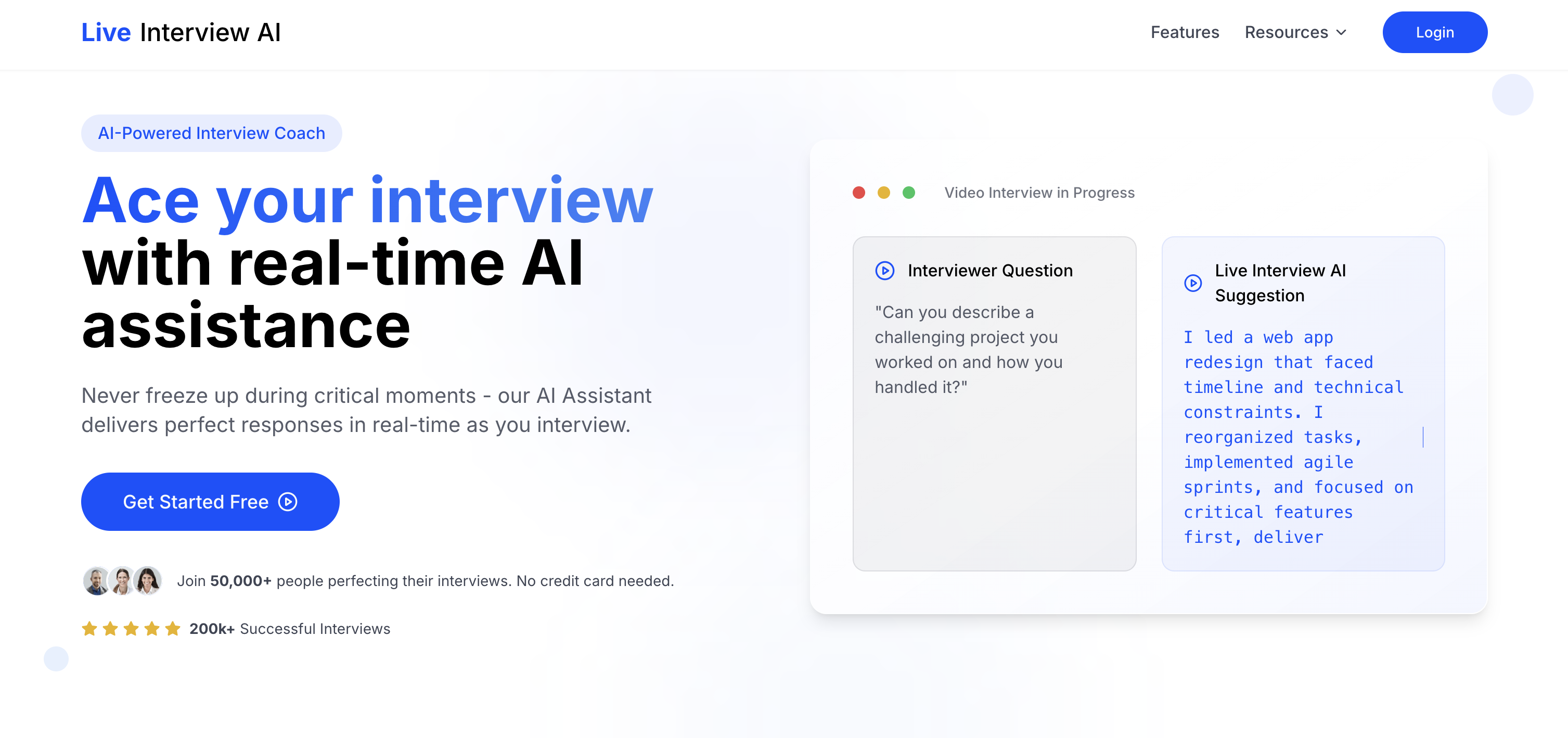
Live Interview AI is the no-install browser copilot — 60-second setup, 50+ video platforms, free trial without a credit card. Real advantages for users on locked-down work machines. But the pricing is hidden behind a sign-up wall, the "93% success rate" is self-reported and unverified, and a browser overlay is structurally weaker for stealth than dedicated desktop apps. Useful as a quick-start option; not the strongest pick if stealth, structured prep, or transparent pricing matter.
What is Live Interview AI?
Live Interview AI is a browser-based AI interview copilot at liveinterview.ai that overlays real-time AI-generated answer suggestions on top of your video meeting. The pitch is speed and friction-removal: visit the site, complete a 60-second setup, and start getting suggestions on Zoom, Microsoft Teams, Google Meet, Skype, Webex — and 45+ other platforms.
The architecture differs from desktop-first competitors like Cluely, Beyz, or Sensei. No installer, no permission prompts, no Mac/Windows divergence — everything runs in a browser tab. That makes it one of the only realistic options for people on managed corporate laptops where IT blocks software installs.
The trade-off is structural: a browser overlay can be visible to screen-sharing in ways a dedicated desktop overlay isn't. Live Interview AI's marketing leans on "200,000+ completed interviews," "50,000+ active users," and a "93% interview success rate" — all self-reported, none independently verified.
Live Interview AI does not display tier prices on its public site — every CTA routes to "Get Started Free." Every other major tool (Cluely, Beyz, Sensei, Final Round, Interview Sidekick) shows tier dollar amounts publicly. The strongest signal the company would prefer you commit before comparing.
Live Interview AI Pricing in 2026
Live Interview AI publishes no pricing tiers on its public site. The only path to a price is to sign up first. Based on category positioning (Cluely $19.99-$149.99, Beyz $24.99-$49.99, Sensei $24-$89), most users report Live Interview AI's paid plans land in the $30-$60/month range. There's also a "Career Accelerator" / "Six-Figure Fast Track" tier mentioned on-site without an attached number.
- Free trial — no credit card required
- Real-time AI suggestions across 50+ video platforms
- Job-role + target-company tailoring
- Career Accelerator tier exists, price not shown
- Compare: Beyz $24.99/mo, Sensei $24/mo, Interview Sidekick free
Real-World Performance Issues
The most-cited problem with browser-based interview copilots is window management. The overlay runs in one tab while your video meeting runs in another — so candidates keep tab-switching mid-question instead of maintaining eye contact. Recruiters actively flag this behavior.
A second issue: browser overlays can be visible during screen share. Desktop apps draw their overlay above the screen-share capture layer. A browser-tab overlay does not get that treatment — if you mis-share or the meeting tool captures all windows, it shows up.
The "93% interview success rate" headline is unverified — no third-party study, no audited methodology. Vendor success rates here are typically self-selected from engaged users.
Live Interview AI Features
- Browser-based architecture — runs in a tab, no install, works on locked-down machines
- 50+ video platforms — Zoom, Teams, Google Meet, Webex, Skype, RingCentral, and more
- 60-second setup — fastest onboarding in the category
- Real-time answer suggestions tailored to job role + target company
- Instant feedback during practice — quality scoring on responses
- Privacy positioning — encrypted data handling per marketing copy
- Free trial without credit card
- Career Accelerator tier — price not disclosed
- No bot in the meeting — runs on your side
- No question bank or mock-interview engine — real-time only
How to Use Live Interview AI
Step 1: Visit liveinterview.ai — no desktop app to download.
Step 2: Sign up for the free trial — no credit card required. Pricing for continued use is only visible inside the dashboard.
Step 3: Complete the 60-second setup — paste your target job role and company so the AI can tailor suggestions.
Step 4: Open your interview platform (Zoom web, Meet, Teams, Webex) in another tab.
Step 5: Live Interview AI surfaces suggestions in its overlay. Position carefully — if you mis-share or the meeting tool captures the whole desktop, the overlay shows up.
Step 6: Read suggestions as a launching point, not verbatim — recruiters can hear the unnatural cadence.
At a Glance
- Fastest setup in the category — 60 seconds, no installer
- Broadest video-platform claim — 50+ tools
- Works on locked-down work machines that block installs
- Free trial with no credit card required
- Job-role + target-company tailoring during setup
- No participant bot — runs on your side
- Cross-device — anywhere a modern browser runs
- Pricing hidden behind sign-up wall
- Browser overlay weaker for stealth than desktop apps
- "93% success rate" is self-reported and unverified
- No question bank for structured prep
- No mock-interview mode — real-time only
- Tab-switching hurts eye contact
- Smaller third-party review footprint than Cluely or Final Round
- Career Accelerator tier price not disclosed
- Browser overlay can show if you mis-share a window
Live Interview AI vs Top Alternatives
| Feature | ||||
|---|---|---|---|---|
| Pricing transparency | Hidden behind sign-up | Public free tier | Public ($19.99–$149.99) | Public ($24–$89) |
| Architecture | Browser tab | Desktop + web | Desktop app | Desktop app |
| Stealth on screen-share | Browser-overlay (weaker) | Desktop overlay | Only on $149.99 tier | Desktop overlay |
| Question bank | None | 10,000+ | None | None |
| Mock interview mode | No | AI-graded mocks | No | Limited |
| Video-platform breadth | 50+ claimed | Zoom, Meet, Teams, Webex | Zoom, Meet, Teams, Webex, Slack | Zoom, Meet, Teams, Webex |
| Setup time | ~60 seconds | ~3 min (web) / 5 min (app) | 5–10 min (installer) | 5–10 min (installer) |
Our Live Interview AI alternatives guide goes deeper.
Live Interview AI vs Interview Sidekick — Deeper Comparison
Live Interview AI is built around frictionless browser-based live use; Interview Sidekick is built around a complete prep-to-live workflow.
On preparation: Interview Sidekick has 10,000+ structured questions plus an AI-graded mock interview mode that records, transcribes, and scores your answer. Live Interview AI has no question bank and no mock-interview mode.
On stealth: Interview Sidekick's desktop overlay draws above the screen-share capture layer. Live Interview AI's browser-tab overlay can be visible if you mis-share.
On pricing transparency: Interview Sidekick has a public free tier and clearly displayed paid plans. Live Interview AI hides every tier behind a sign-up wall.
On video-platform breadth: Live Interview AI wins with 50+ claimed platforms. Interview Sidekick covers the major four (Zoom, Meet, Teams, Webex) — where 95%+ of interviews actually run.
The honest summary: if you can't install desktop software, Live Interview AI is one of the few options. For everyone else, the combination of free tier, structured prep, mock grading, and desktop stealth makes Interview Sidekick the more complete tool.
Want a real free tier and structured prep?
Interview Sidekick has a public free tier with no credit card, 10,000+ structured interview questions, AI-graded mock interviews, and a desktop overlay for screen-share-safe live use — transparently priced, no sign-up wall.
Try Interview Sidekick Free →Turnfailed interviews
into offers accepted
No credit card required • Cancel anytime