Google Interview Warmup Shut Down: 6 Free Alternatives (2026)
 Rishabh Jain5 min read
On this page
Google Interview Warmup is gone. Google retired its free interview practice tool in 2026, and as of October 2026 the old Grow with Google link redirects to a general interview-tips article instead of the practice tool. If you came here looking for Warmup, this guide covers what happened, what the tool actually did, and the best free alternatives if you want to keep practicing out loud.
The short version: if you liked Warmup because it let you answer real interview questions by speaking and get instant AI feedback, the closest free replacement today is an AI mock interview tool with voice. Interview Sidekick has a free tier that does this, with role- and company-specific questions instead of Warmup's five generic ones.
What happened to Google Interview Warmup?
Google launched Interview Warmup in 2022 as part of Grow with Google, alongside its Career Certificates. It was free, needed no login, and ran in the browser. In 2026 Google quietly took it offline. There was no big announcement: the tool's page simply started redirecting to a general interview-tips article, and the older Google Cloud Skills Boost link stopped working.
Google now points job seekers toward its broader AI products rather than a dedicated practice tool. Those can help, but none of them reproduces Warmup's format: a short set of role-based questions, spoken answers, and a feedback summary at the end.
What Google Interview Warmup did
If you never used it, or want to find something similar, this is how Warmup worked:
Pick a field. You chose a track such as UX Design, Data Analytics, IT Support, Digital Marketing, Project Management or Cybersecurity, or a general set of questions.
Answer five questions. Warmup asked five questions for that field. You answered by speaking (it transcribed you) or by typing.
Review the summary. At the end it highlighted job-related terms you used, your most-repeated words, and talking points you covered. There was no score and no grade.
That simplicity was the appeal: free, private, no pressure. It was also the limit. The questions were the same for everyone in a field, the feedback never looked at whether your answer was actually good, and nothing was saved between sessions.

The best free Google Interview Warmup alternatives
These are the tools worth trying if you want to keep practicing the way Warmup let you. For a side-by-side comparison, see our full Google Interview Warmup alternatives page.
1. Interview Sidekick (free tier)
Closest match to Warmup, with more depth. You pick a company and role, answer questions out loud, and get AI feedback on each answer. The difference is the questions: instead of five generic prompts, Interview Sidekick draws on a bank of 10,000+ real interview questions tied to specific companies and roles, and you can build your own question sets. Sessions and transcripts are saved so you can review them later. It also has a real-time assistant for live interviews on Zoom, Google Meet and Microsoft Teams.
Best for: anyone who used Warmup for spoken practice and wants role-specific questions and feedback on the content of their answers.
2. Gemini Live
Google's own suggestion. Gemini Live is a general voice assistant, not an interview tool, but you can ask it to act as an interviewer for a role and talk through answers. It is free to start and conversational. You have to write the prompt and steer it yourself, and there is no structured question set or end-of-session summary.
Best for: casual spoken practice if you already use Gemini.
3. Yoodli
Delivery coaching. Yoodli focuses on how you speak: filler words, pacing and clarity, on recorded answers. That overlaps with Warmup's "most-used words" feedback and goes further on delivery. It is less about which questions you will be asked. See our Yoodli alternatives comparison.
Best for: people whose main issue is nerves, rambling or filler words.
4. Pramp
Free peer mock interviews. Pramp pairs you with another candidate for live mock interviews, mostly technical (coding, system design) with some behavioral. It feels much closer to a real interview than Warmup did, but you need to schedule sessions and feedback quality depends on your partner. See Pramp alternatives.
Best for: software engineering candidates who want realistic live reps.
5. Big Interview
Structured video lessons plus practice. Big Interview combines interview courses with recorded mock interviews and question sets by industry. It is a paid product (many universities and workforce programs provide it free to their students, so check whether yours does).
Best for: learning interview fundamentals step by step.
6. My Interview Practice
Self-paced recorded mock interviews. You record answers to pre-set questions at your own pace and review them. Flexible, but there is no live interaction and you mostly assess yourself. See My Interview Practice alternatives.
Best for: rehearsing on video before a recorded or one-way interview.
How to practice the way Warmup worked, in Interview Sidekick
If you want to replicate Warmup's "pick a role, answer out loud, review" loop, this is how to do it:
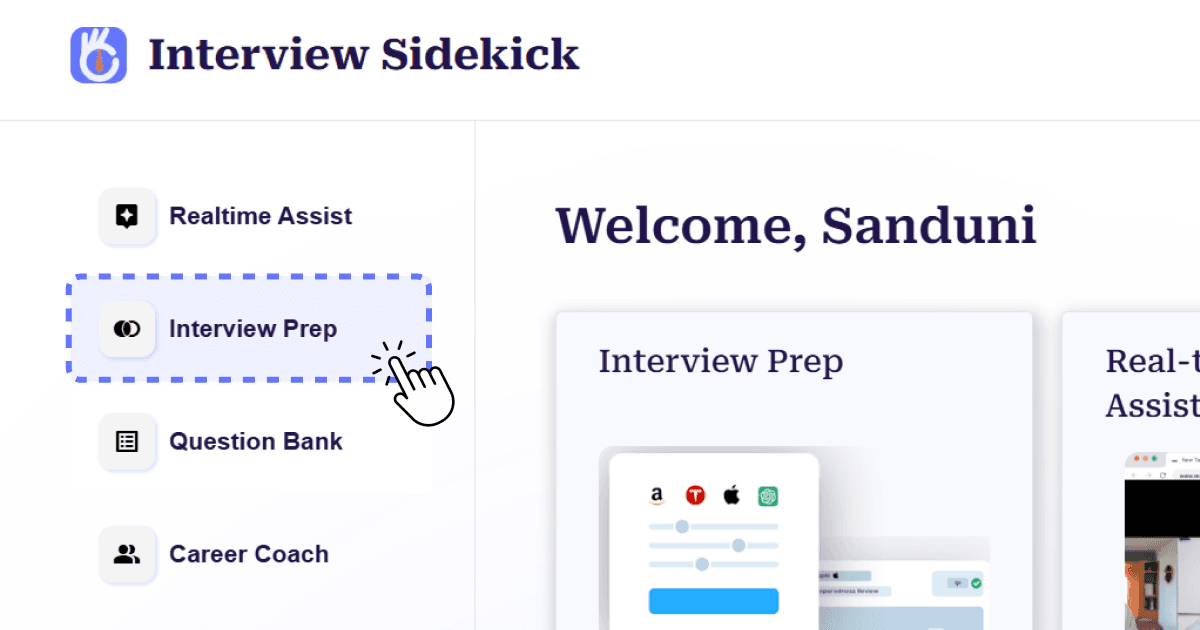
Step 1: Sign in (free) and open Interview Prep from your dashboard.
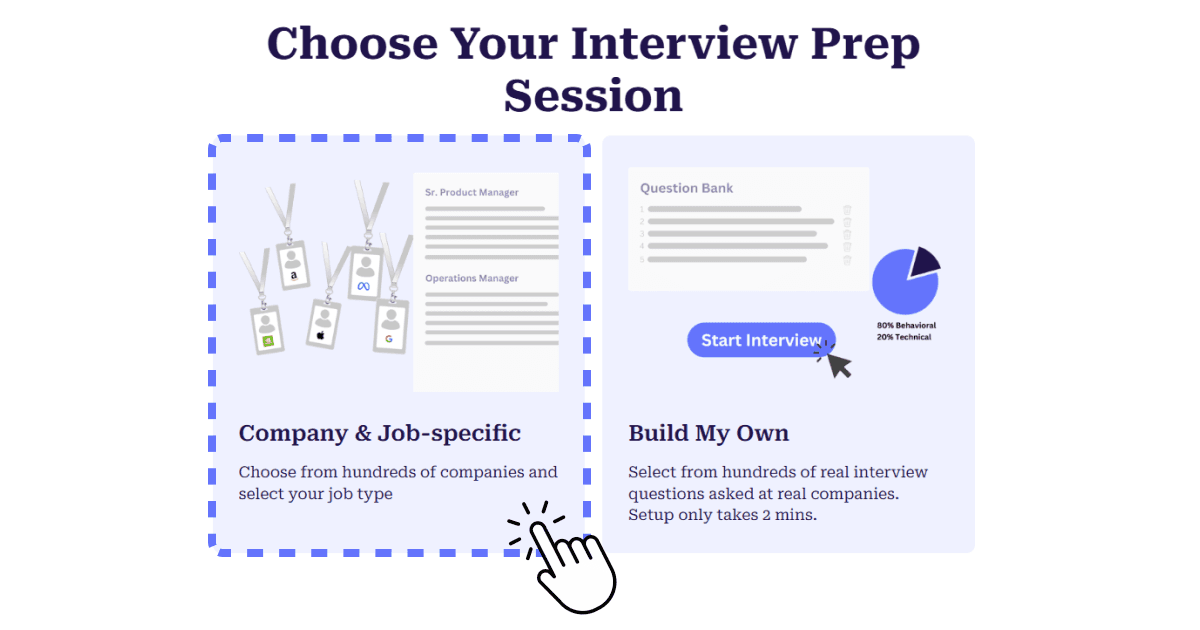
Step 2: Choose Company & Job-Specific for curated questions, or Build My Own to use your own list.
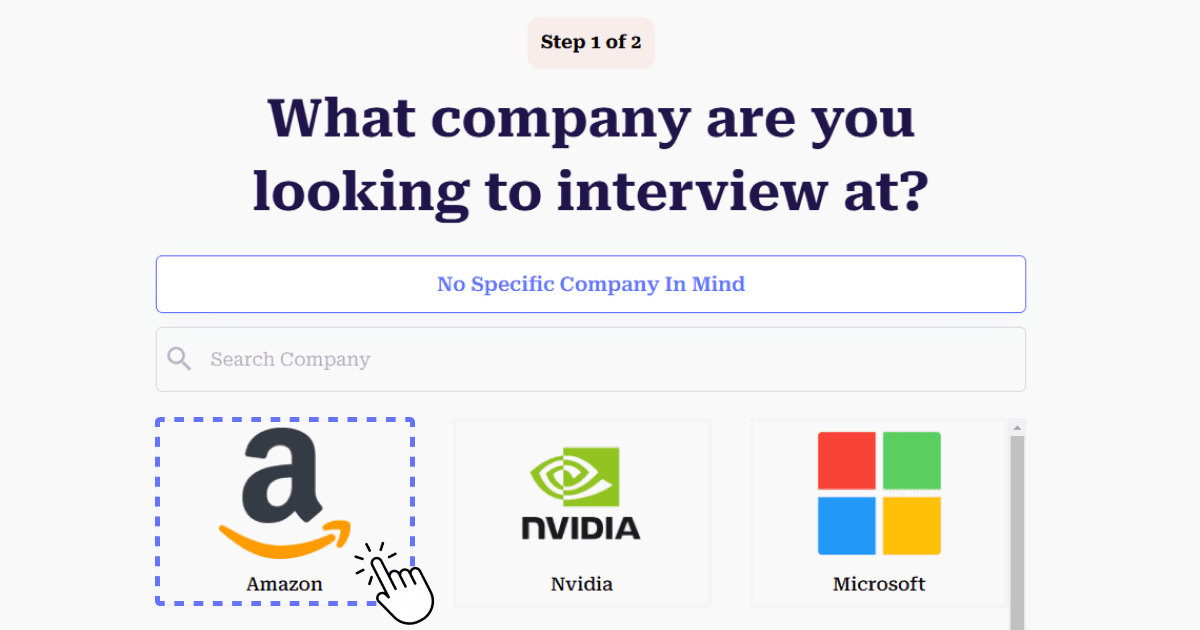
Step 3: Pick the company you are interviewing with.
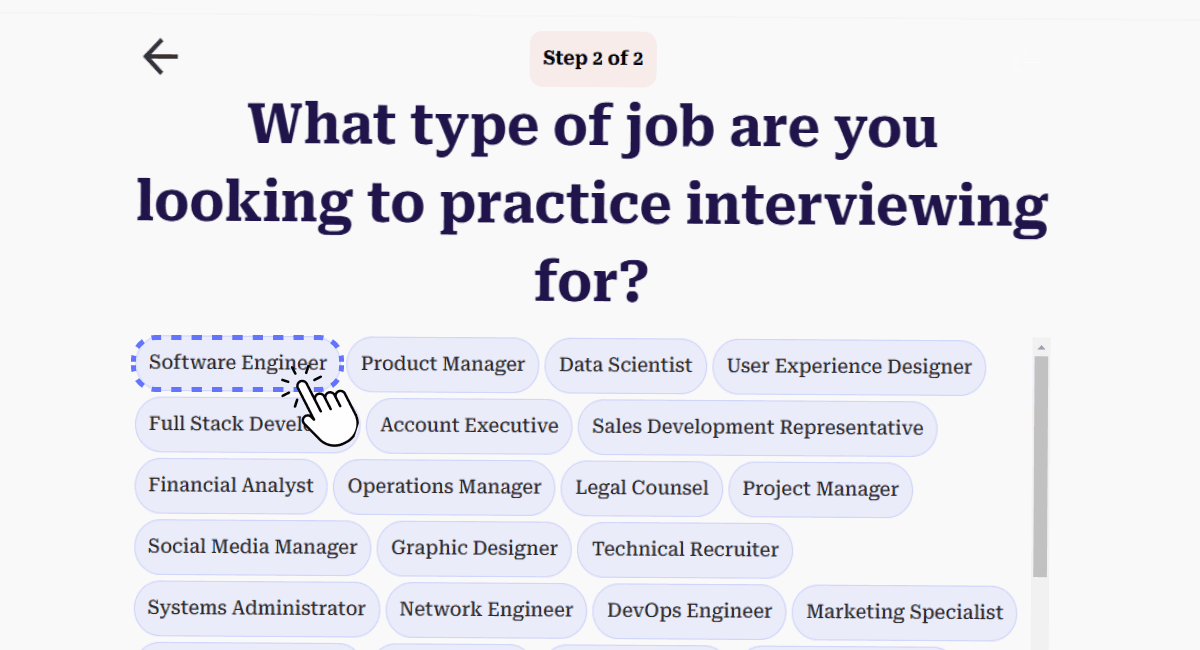
Step 4: Pick the role.
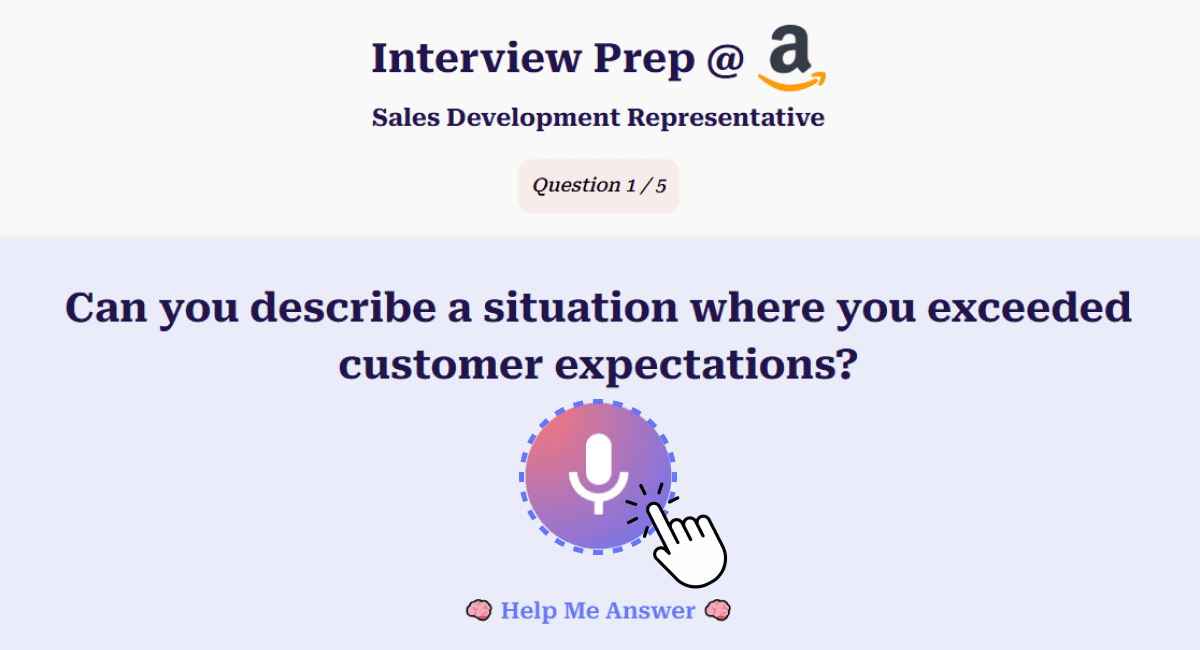
Step 5: Click the Mic button and answer each question out loud, just like in Warmup.
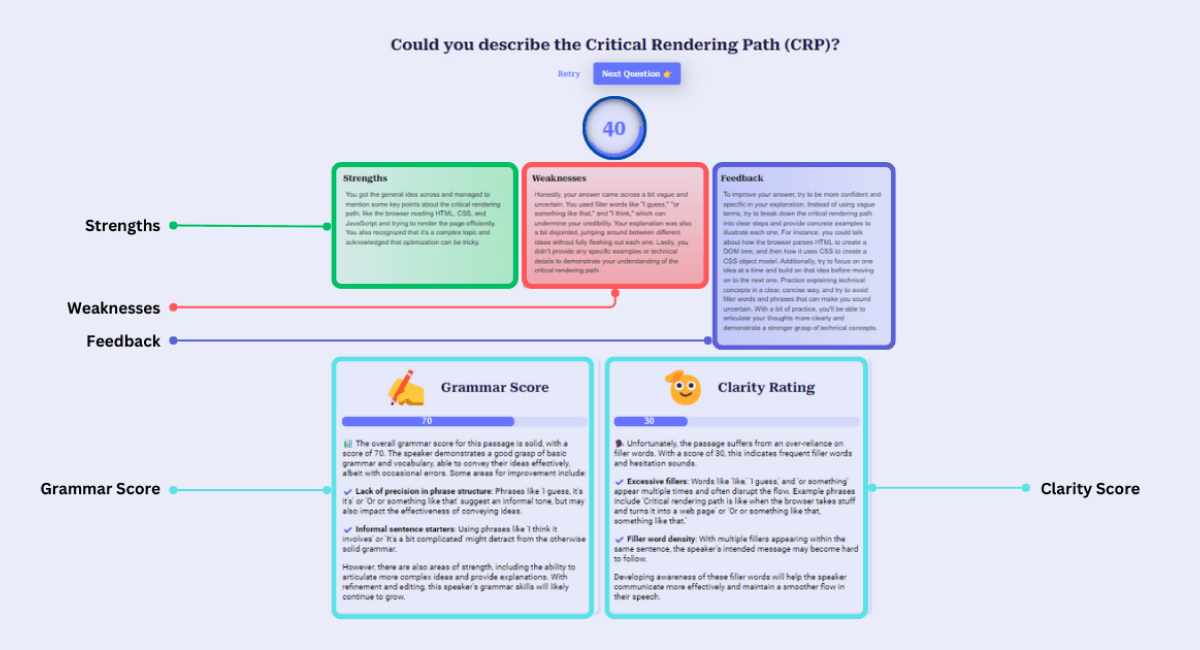
Step 6: Review your summary report, then practice the weakest answers again.
Tips that worked with Warmup and still work now
Say it out loud. The main value of Warmup was speaking answers instead of thinking them. Keep doing that with whichever tool you use.
Watch your repeated words. Warmup's most-used-words list caught filler and vague language. Read your transcripts with the same eye.
Use STAR for behavioral questions. Situation, Task, Action, Result keeps stories tight. Practice with common STAR interview questions.
Avoid generic answers. Tie every answer to the role and company. Our guide to generic interview questions shows how.
Nail the opener. "Tell me about yourself" comes first in most interviews. Here is how to answer it.
Frequently Asked Questions
Is Google Interview Warmup still available?
No. Google retired Interview Warmup in 2026. As of October 2026, the old Grow with Google link redirects to a general interview-tips article, and the tool itself is no longer available.
Why did Google shut down Interview Warmup?
Google did not publish a detailed explanation. The tool was quietly taken offline and its page redirected, with Google steering people toward its broader AI products instead of a dedicated interview practice tool.
What is the best free alternative to Google Interview Warmup?
For the same spoken, question-by-question practice with AI feedback, Interview Sidekick's free tier is the closest match, and it adds company- and role-specific questions. Gemini Live works for casual voice practice, and Pramp is a good free option for live peer mock interviews in technical roles.
How did Google Interview Warmup work?
You picked a field such as Data Analytics or UX Design, answered five interview questions by speaking or typing, and got a summary of the job-related terms, repeated words and talking points in your answers. It did not score or grade you.
Was Google Interview Warmup free?
Yes. It was completely free, ran in the browser and did not require an account.
Can I still practice the questions Warmup used?
Warmup's questions were common interview questions such as "Tell me about yourself", "What are your strengths and weaknesses?" and "Why do you want this job?". You can practice the same kinds of questions, plus company-specific ones, in any AI mock interview tool.