
On this page
A narrow, well-built stealth tool for LeetCode-pattern problems. Pro is €49/month with unlimited use; the free trial is locked to leetcode.com only. Solves the core use case well, but the secondary-device workflow and macOS screen-recording edge cases mean it isn't friction-free in every interview environment.
Leetcode Wizard is purpose-built for LeetCode-pattern problems and nothing else. The free trial limits input to leetcode.com — to point it at HackerRank, CodeSignal, or Codility you have to be on Pro at €49/month. Reviewers consistently flag two soft spots: it performs best on textbook LeetCode patterns and only "moderately well" on the bespoke, real-world style questions that companies like Stripe, Coinbase, or smaller startups actually ask, and the secondary-device web view is awkward in practice — a phone is too small to read code from, and a tablet has to be placed where the interviewer's camera can't see it. Some platforms (CoderByte is named in third-party reviews) reportedly detect dual-device setups directly. Treat the 93% pass-rate claim as marketing, not a benchmark.
- Unlimited problem solves
- All input sources (HackerRank, CodeSignal, Codility, etc.)
- Secondary-device web view for proctored tests
- Priority AI response queue
- Premium support — 6-hour response SLA
- Free updates for the life of the subscription
Where it gets uncomfortable in a real interview
The biggest practical issue isn't detection — it's ergonomics. The secondary-device web view exists because the desktop app can't always render answers safely on the same machine you're sharing. That means in practice you're glancing at a phone propped on your desk while typing on your laptop. Reviewers describe phone screens as too small to read code from and tablets as awkward to position out of the camera's field of view.
Coverage is the other honest gap. The model is trained on LeetCode's problem set, so it shines on classical patterns (DP, graphs, sliding window) and gets noticeably weaker on the bespoke, business-context problems that smaller companies and FAANG behavioral-coding rounds tend to use. A few platforms — CoderByte is the one mentioned by name — reportedly flag dual-device setups directly, and macOS native screen recording is called out as not fully invisible.
“Tackles real-world-style problems only moderately well — training relies on LeetCode's problem set, not actual company questions.”
Leetcode Wizard vs Interview Sidekick
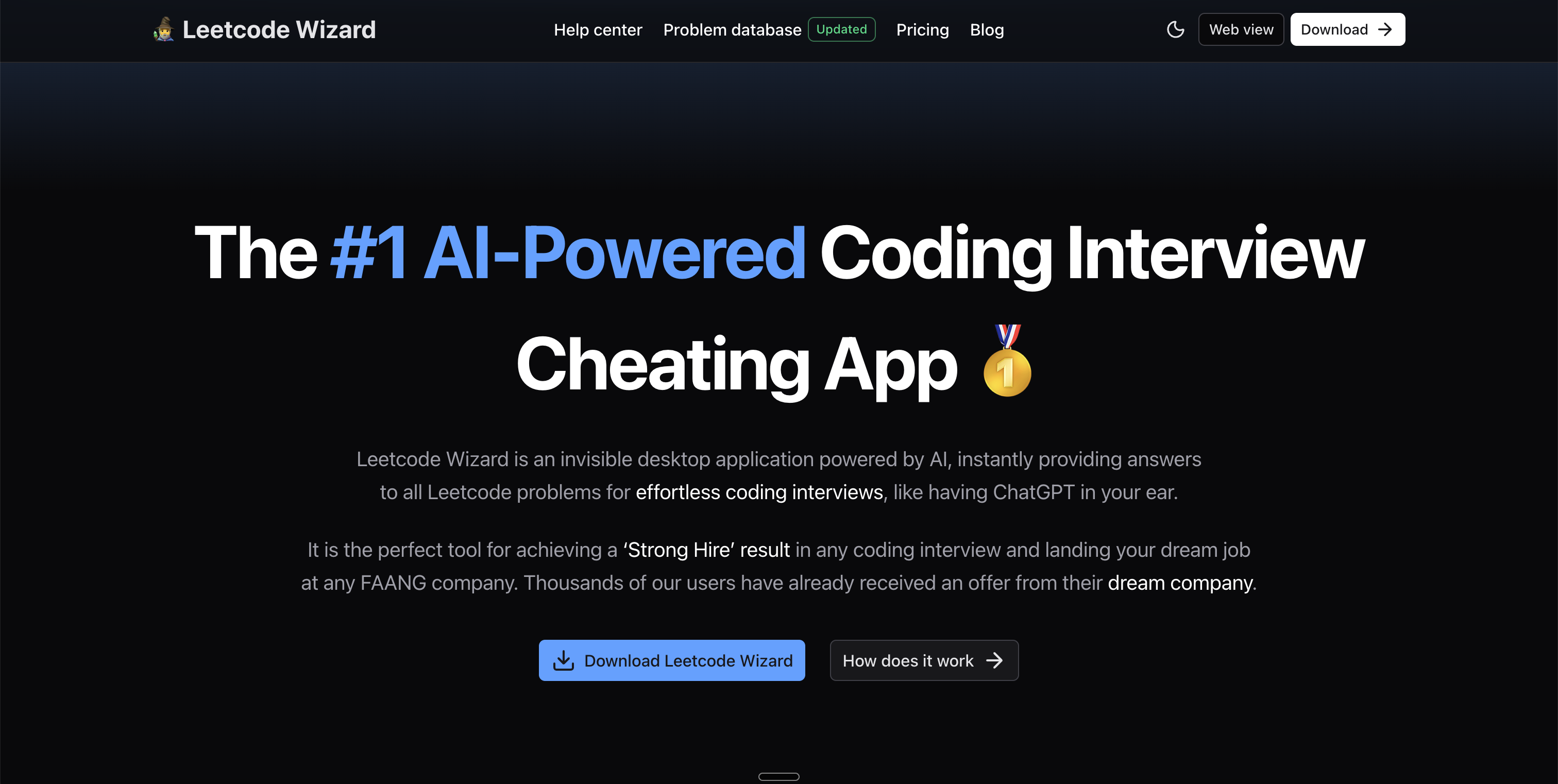
Leetcode Wizard is a stealth desktop AI tool for LeetCode-style coding interviews, marketed as 'The #1 AI-Powered Coding Interview Cheating App.' It uses custom-trained AI models for both known and novel problems, claims a 93% pass rate, and includes humanized outputs designed to bypass AI detection plus a secondary device web view for proctored coding tests.
Interview Sidekick is lauded for its intuitive platform, enhancing technical interview skills and increasing confidence during interviews — combining a 16,000+ question bank with real-time copilot assistance for the full prep funnel.
Get StartedLeetcode Wizard vs. Top Alternatives: Feature Comparison
A side-by-side look at how Leetcode Wizard compares to the top alternatives across the features that matter most for interview prep.
Swipe to compare
| Feature | ||||||
|---|---|---|---|---|---|---|
| LeetCode coverage | Yes | Yes | Yes | Yes | Yes | Yes |
| System design support | No | Yes | Yes | Limited | Yes | Limited |
| Behavioral interviews | No | Yes | Limited | No | Limited | No |
| Stealth / undetectable | Yes | Yes | Yes | Yes | Yes | Yes |
| Proctored test mode | Yes | Limited | Yes | Limited | Limited | Limited |
| Question bank for prep | No | 10,000+ | No | No | No | No |
| Free plan | Trial | Yes | Trial (10 msgs) | Trial | Yes | Trial |
| Best for | LeetCode focus | Complete prep + real-time | Coding interviews | Coding interviews | Coding interviews | Stealth coding help |
Pricing and features change frequently, so check each vendor's site for current pricing before purchasing: Leetcode Wizard · Interview Solver · Interview Coder · Shadecoder.
How to Use Leetcode Wizard
Leetcode Wizard runs as an invisible desktop app. After installing, you trigger it with privilege-level hotkeys during your interview — the tool reads the LeetCode problem on your screen, generates a solution using its custom-trained models, and displays it on a hidden overlay invisible to screen sharing and screenshots. For heavily proctored sessions, it offers a secondary device mode where you view the answer on a phone or tablet instead.
How to Use Interview Sidekick
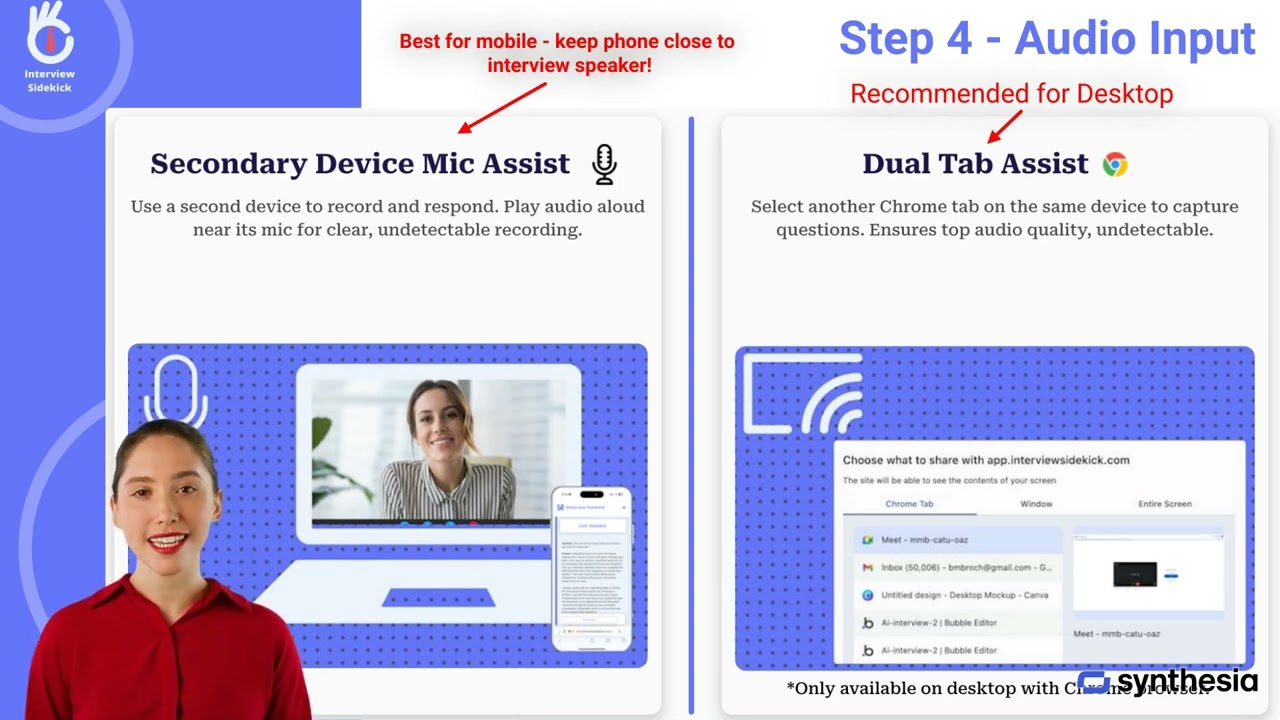
Getting started with Interview Sidekick is quick and designed to help job seekers practice and improve their interview skills with AI-powered coaching, 16,000+ real interview questions, and a real-time copilot that works on Zoom, Google Meet, Microsoft Teams, and Webex.
Top Alternatives to Leetcode Wizard and Interview Sidekick
If you're shopping for AI interview tools beyond Leetcode Wizard and Interview Sidekick, here are the top contenders worth a look:
Complete prep + real-time
Full-funnel interview prep with 10,000+ questions, AI mock interviews, and a real-time copilot — covers behavioral and system design rounds Leetcode Wizard skips entirely.
Pros
- 10,000+ real interview questions across every major role
- Live interview copilot for Zoom / Meet / Teams / Webex
- AI-graded mock interviews with structured feedback
- Free tier with no credit card required
Cons
- Less narrowly optimized for LeetCode-only loops
- Stealth mode is opt-in (not default)
Coding interviews
Coding-interview AI copilot with screengrabs, voice transcription, and companion-mode for proctored sessions. $39/mo flat pricing.
Pros
- Invisible to Zoom + browser screen recording
- Screengrabs → instant LeetCode solutions
- Voice transcription of candidate + interviewer
- Companion mode using a second device
Cons
- Coding-only — no behavioral or system design depth
- Free trial limited to 10 messages
- $39/mo for unlimited
Coding interviews
The original viral coding-interview AI copilot. Real-time hints, problem breakdowns, and stealth overlay across Zoom and screen sharing.
Pros
- Real-time hints and problem breakdowns
- Invisible to screen sharing apps
- Strong brand recognition in coding-interview niche
Cons
- Premium pricing tier ($60/mo)
- Limited value beyond coding rounds
- No structured prep tools

Coding interviews
Most affordable stealth coding assistant in the category at $19/mo on a 6-month plan. Multimodal reasoning across code and design questions.
Pros
- 100% invisible across screenshare platforms
- Multimodal reasoning (code + design + context)
- $19/mo on 6-month plan — cheapest in category
- Free tier with limited credits
Cons
- Newer entrant — smaller user base
- No question bank or behavioral prep
- Free tier credits run out quickly