
On this page
JobLander is closing. Its founder announced that new signups and purchases stopped on 11 October 2026, free minutes and Practice keep working until the end of 18 October 2026, and minutes bought after 11 September 2026 keep working in already-installed extensions until 31 December 2026. The extension has been removed from the Chrome Web Store. While it ran it was an honest, low-cost Chrome-extension copilot from a one-person team, but if you have an interview coming up, move to a maintained tool now rather than relying on a product that is winding down.
In a note on joblander.app, founder Vladislav said the project does not pay for itself and he is closing it. New signups and purchases stopped on 11 October 2026, free minutes and Practice keep working until the end of 18 October 2026, and minutes bought after 11 September 2026 keep working in already-installed extensions until 31 December 2026. The extension is no longer listed in the Chrome Web Store; copies that are already installed keep working until those dates. Earlier in 2026 JobLander was fully free, but it later sold minutes, so any review describing it as having no paid tier is out of date.
- Real-time AI hints during live interviews
- 8 AI models via Groq (Llama 3.3 70B, Llama 4 Scout, Qwen 3, Kimi K2, more)
- CV-based personalization
- AI coaching and mock interview practice modes
- Works on Zoom, Google Meet, and Microsoft Teams
- Backed by a Google Cloud for Startups infrastructure grant
- Removed from the Chrome Web Store; installed copies keep working until the dates above
Real-World Performance Issues
Free comes with honest trade-offs that matter once your interview is high-stakes. JobLander runs as a Chrome extension overlay inside the browser tab — it has no native desktop stealth mode. The moment an interviewer asks for full-screen sharing instead of a single tab, the overlay is visible. This is the default at most FAANG and structured enterprise loops, so JobLander's stealth profile in those settings is roughly the same as having a second monitor with notes on it.
The AI quality is bounded by Groq's free-tier model selection. Llama 3.3 70B and Qwen 3 32B are good models, but you are not getting Claude Sonnet or GPT-4o-class reasoning on tricky behavioral or system-design follow-ups. The fastest model (Llama 4 Scout) trades quality for latency.
There is also no formal support channel. If the extension breaks the morning of your interview, you are emailing the founder directly and hoping he is awake — compare that to Final Round AI, Beyz, or Interview Sidekick where there is a documented support flow.
“I'm not even sure yet if JobLander actually helps people get jobs. Charging money for something unproven felt wrong. — Vladislav Sorokin, founder”
JobLander vs Interview Sidekick
JobLander is a 100% free Chrome extension that overlays real-time AI hints during live interviews on Zoom, Google Meet, and Microsoft Teams. Built by a single founder (former TV reporter Vladislav Sorokin) and backed by a Google Cloud for Startups infrastructure grant, it offers eight AI models served via Groq for fast inference, CV-based personalization, and a mock interview practice mode — with no credit card, no trial cliff, and no per-minute credit cap.
Interview Sidekick is lauded for its intuitive platform, enhancing technical interview skills and increasing confidence during interviews — combining a 16,000+ question bank with real-time copilot assistance for the full prep funnel.
Get StartedJobLander vs. Top Alternatives: Feature Comparison
A side-by-side look at how JobLander compares to the top alternatives across the features that matter most for interview prep.
Swipe to compare
| Feature | ||||
|---|---|---|---|---|
| Price | Free forever | Free tier + paid | $149.99/mo for stealth | Open-source / self-host |
| Form factor | Chrome extension | Web + Mac / Win desktop | Mac / Win desktop | Self-hosted desktop |
| Stealth on full-screen share | No | Yes (desktop) | Yes (paid tier) | Yes (self-hosted) |
| Question bank | No | 10,000+ | No | No |
| AI-graded mock interviews | No | Yes | No | No |
| AI model choice | 8 via Groq | Tuned per task | Hidden | Bring your own key |
| Free plan | Yes (only tier) | Yes | Limited trial | Self-host = free |
| Support tier | Email founder | Documented | Standard | Community / GitHub |
| Best for | Single-tab budget interviews | Complete prep + real-time | Brand-name stealth copilot | DIY / privacy-first builders |
Pricing and features change frequently, so check each vendor's site for current pricing before purchasing: JobLander · Cluely · Natively (GitHub).
How to Use JobLander
Getting started with JobLander takes about two minutes. Install the Chrome extension, sign in (no payment required), upload your CV so the assistant can personalize hints to your background, then pick one of the eight Groq-hosted AI models — Llama 3.3 70B is the recommended default. Open your interview in Chrome on Zoom, Google Meet, or Microsoft Teams, grant microphone access, and the overlay surfaces real-time hints in your tab. Just remember the overlay is visible if the interviewer asks for full-screen sharing instead of a tab share.

How to Use Interview Sidekick
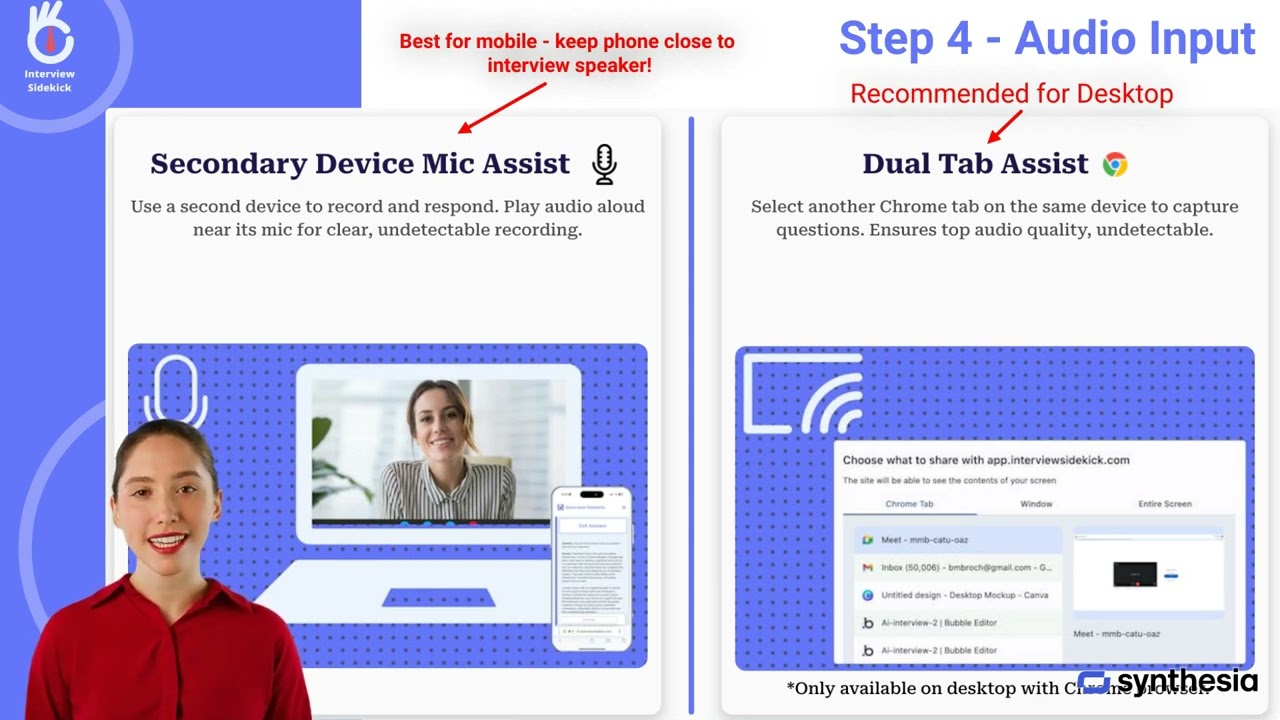
Getting started with Interview Sidekick is quick and designed to help job seekers practice and improve their interview skills with AI-powered coaching, 16,000+ real interview questions, and a real-time copilot that works on Zoom, Google Meet, Microsoft Teams, and Webex.
Top Alternatives to JobLander and Interview Sidekick
If you're shopping for AI interview tools beyond JobLander and Interview Sidekick, here are the top contenders worth a look:
Complete prep + real-time
All-in-one interview prep platform combining a 10,000+ question bank, AI-graded mock interviews, and a real-time interview copilot with a desktop stealth mode for live calls — starting on a free tier with no credit card.
Pros
- 10,000+ real interview questions across every major role
- AI-graded mock interviews with structured feedback
- Live interview copilot for Zoom / Meet / Teams / Webex
- Desktop app with stealth mode (Mac + Windows)
- Free tier — no credit card required
Cons
- Stealth mode is opt-in (not on by default)
- Best results require a few practice sessions before live use
Premium stealth copilot
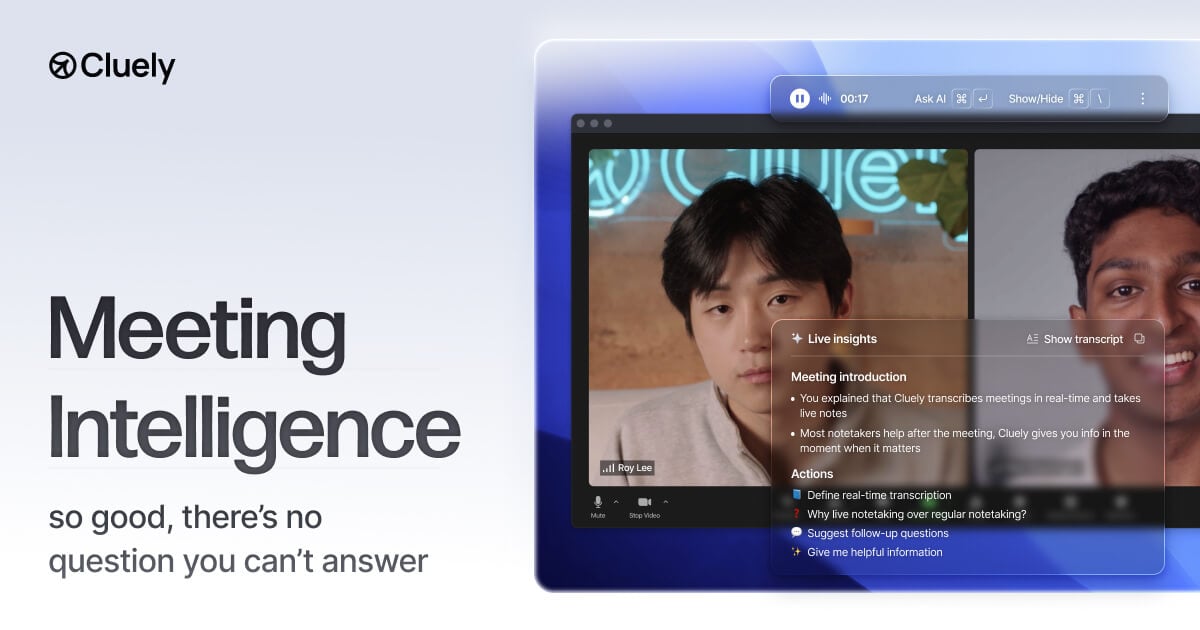
Stealth AI desktop companion that scans your screen and audio to deliver real-time coaching during interviews and meetings. Brand-name option with $120M+ in funding, but the stealth tier costs $149.99/month.
Pros
- Strong viral brand recognition in 2026
- Native desktop app with screen-share invisibility on the top tier
- Cross-platform (Zoom, Meet, Teams, Webex, Slack)
- Custom instructions + file uploads
Cons
- $149.99/month for the stealth tier — 7-8x category average
- 2025 data breach exposed 83K user records
- Recruiter-detection products (Sherlock AI, FabricHQ) specifically target it
- No structured question bank
Self-hosted / privacy-first
Open-source / self-hosted interview copilot for builders who want to bring their own AI keys and run the entire stack on their own machine. The polar opposite of a SaaS — free in the open-source sense, not the credit-card sense.
Pros
- Self-hosted desktop app (full source available)
- Bring-your-own-key for OpenAI / Anthropic / others
- No vendor lock-in, no telemetry
- Active community of contributors
Cons
- Requires technical setup — not for non-developers
- You pay for AI tokens directly out of pocket
- No structured question bank or mock interview mode
- Support is community-based, no SLA